

Information
- 6 in 1 clothing, barber, tattoos, wardrobe, peds, creator
- Admin panel shops, prices, photos & theme in game
- 9 languages one per server, set in the config
- Cfx.re Escrow config & language files stay open
Description
Appearance Creator
Appearance, all in one
Your server's whole look, in one menu
Clothing store, barber shop, tattoo shop, wardrobe, peds and character creator in one script. Photograph your own catalog, keep your players' saved looks, and run shops, prices and themes from an admin panel inside the game.
| Yes | Players keep their saved looks |
| Yes | Outfits and uniforms move over with a console command |
| Yes | Scripts made for the most common menus keep working |
| Yes | QBCore, Qbox and ESX, detected automatically |
| Yes | 9 languages, one per server |
| Yes | Every extra has its own on/off switch |
Installation
Four steps to your server
Everything arrives on your Cfx.re account. The installation guide covers each step in detail.
| 01 | DownloadGet the three assets from Cfx.re Portal → Granted Assets with the account you bought with; it must own your server key. Copy each folder with its hidden |
| 02 | DatabaseImport the SQL file in |
| 03 | server.cfgAfter ox_lib, oxmysql and your framework, add |
| 04 | Switch overStop your old clothing menu; saved looks keep working. On ESX with esx_multicharacter, keep esx_skin and skinchanger running. |
For players
Shops your players walk into
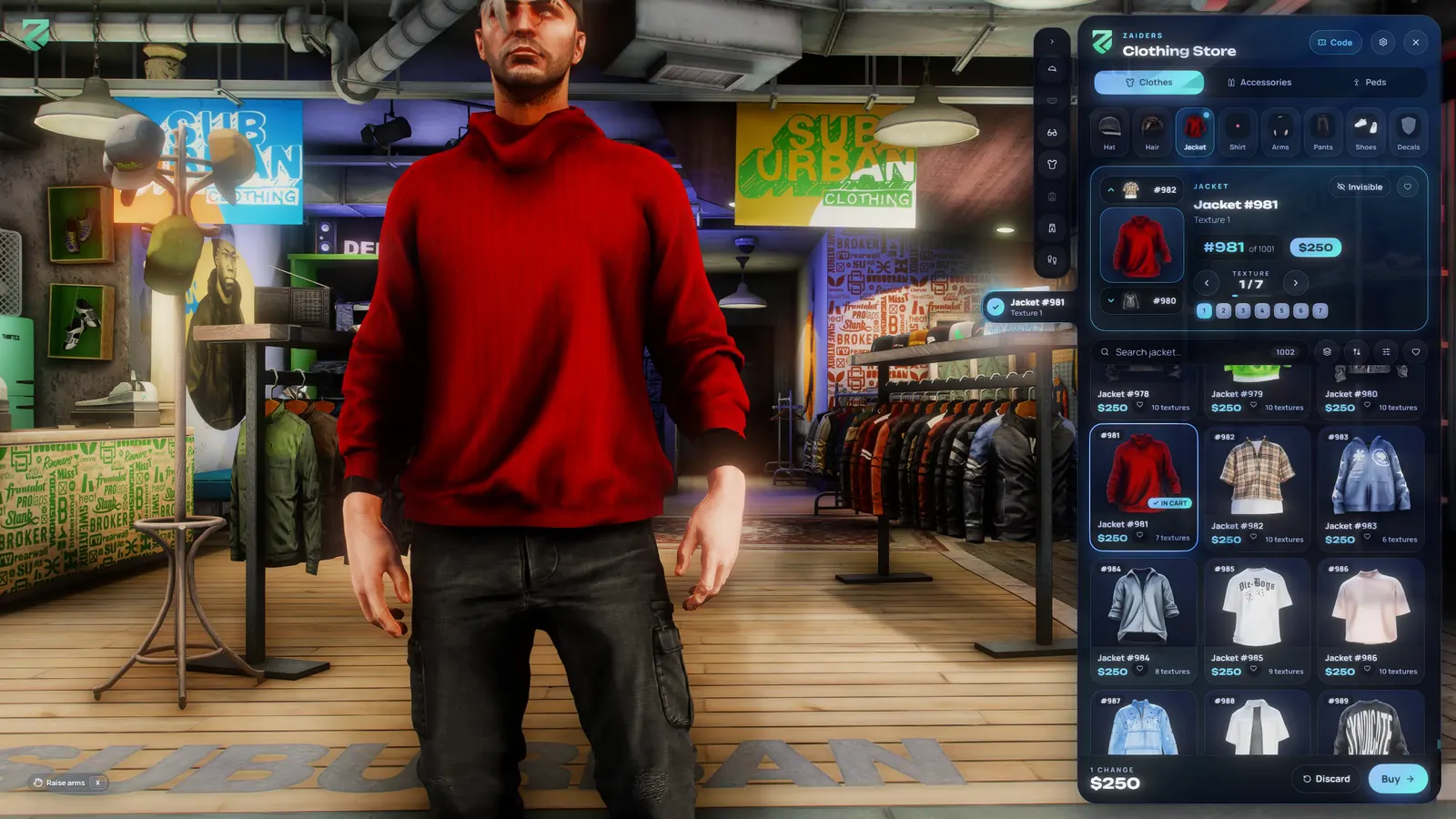
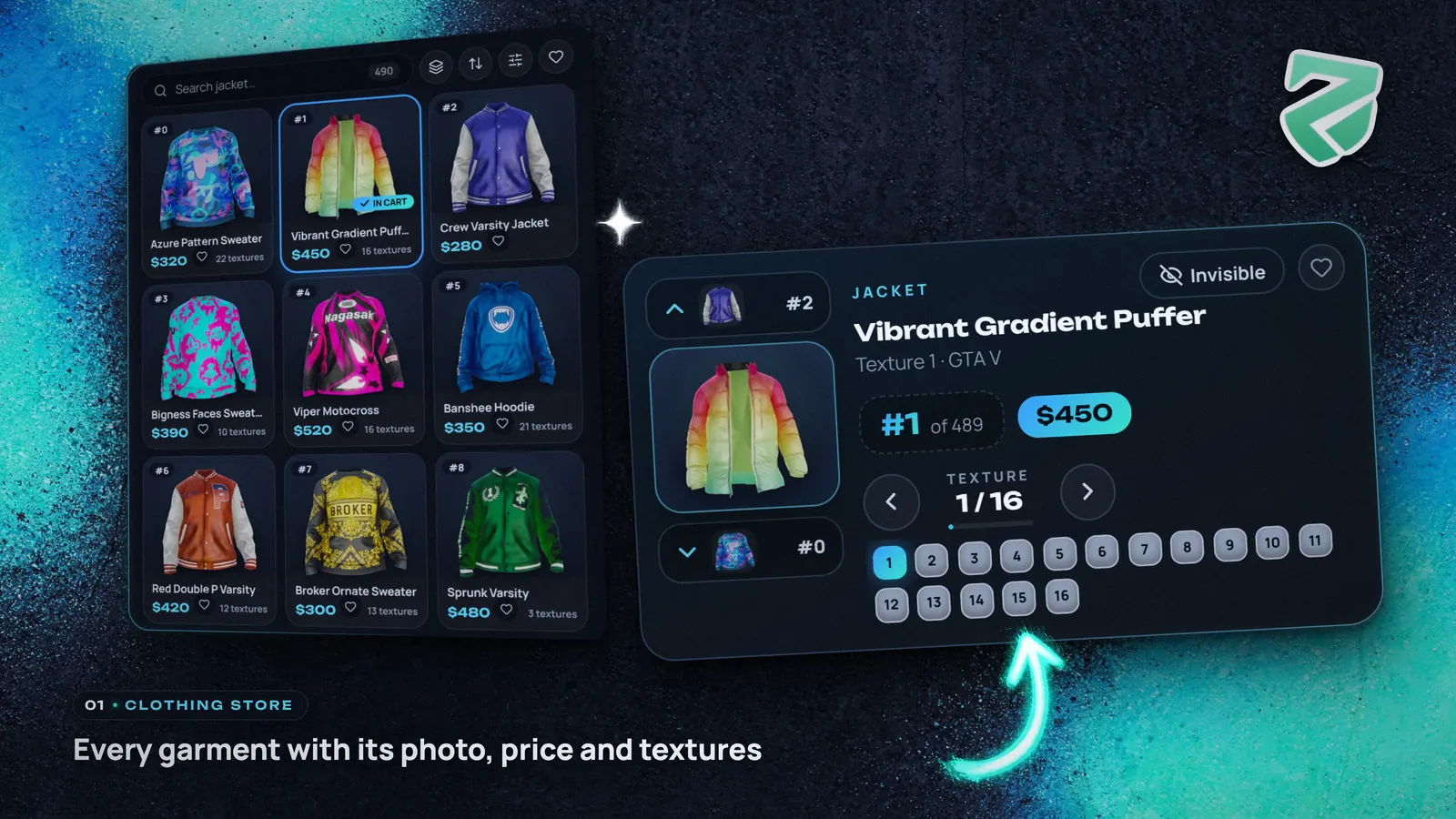
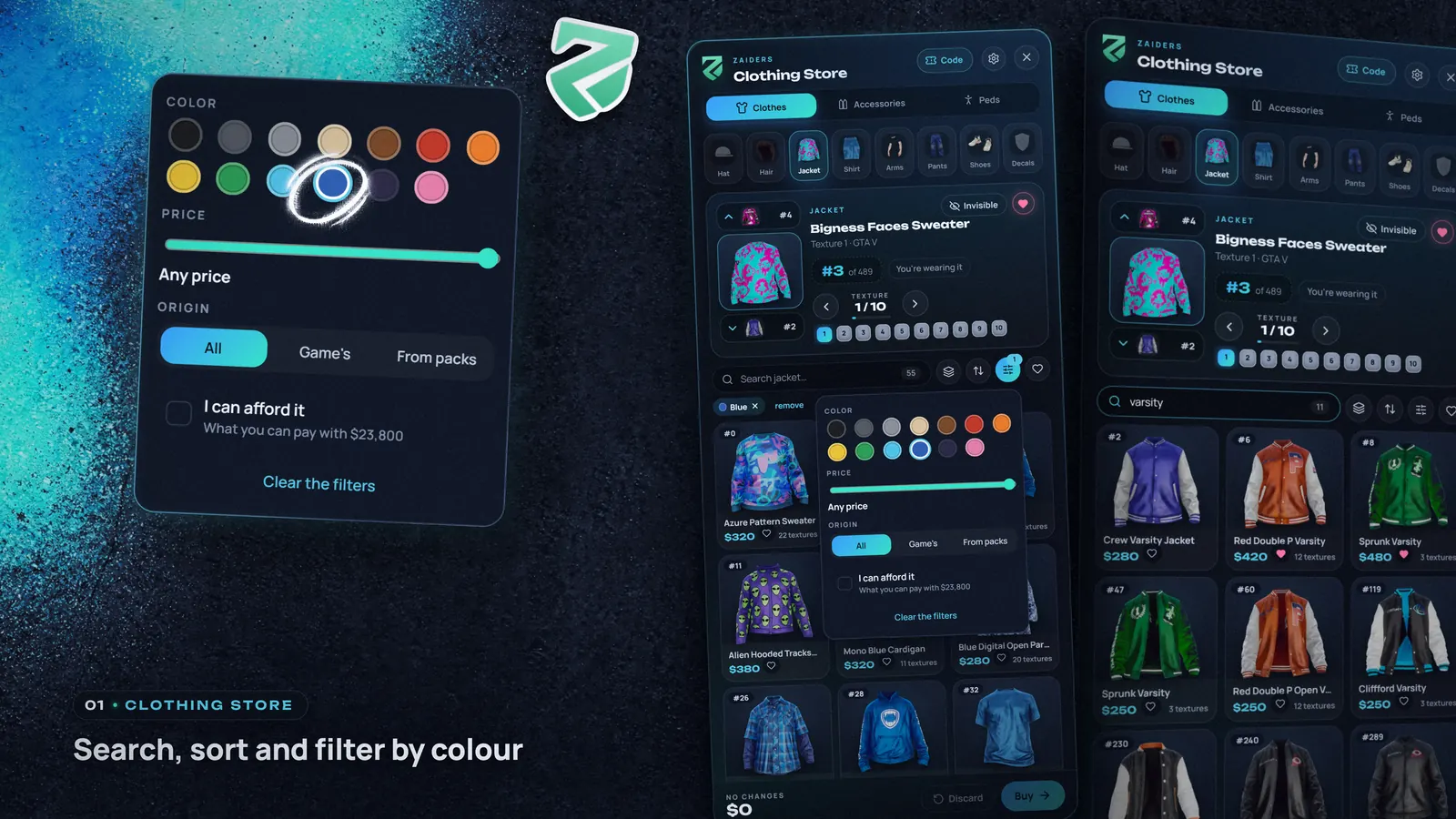
 | Clothing storeTry it all on, pay onceEvery garment shows the photo you took of it, its textures, price and number. Search, filter by 13 colors or by price, try anything on from five camera shots, and pay the cart once, by cash or bank.
|
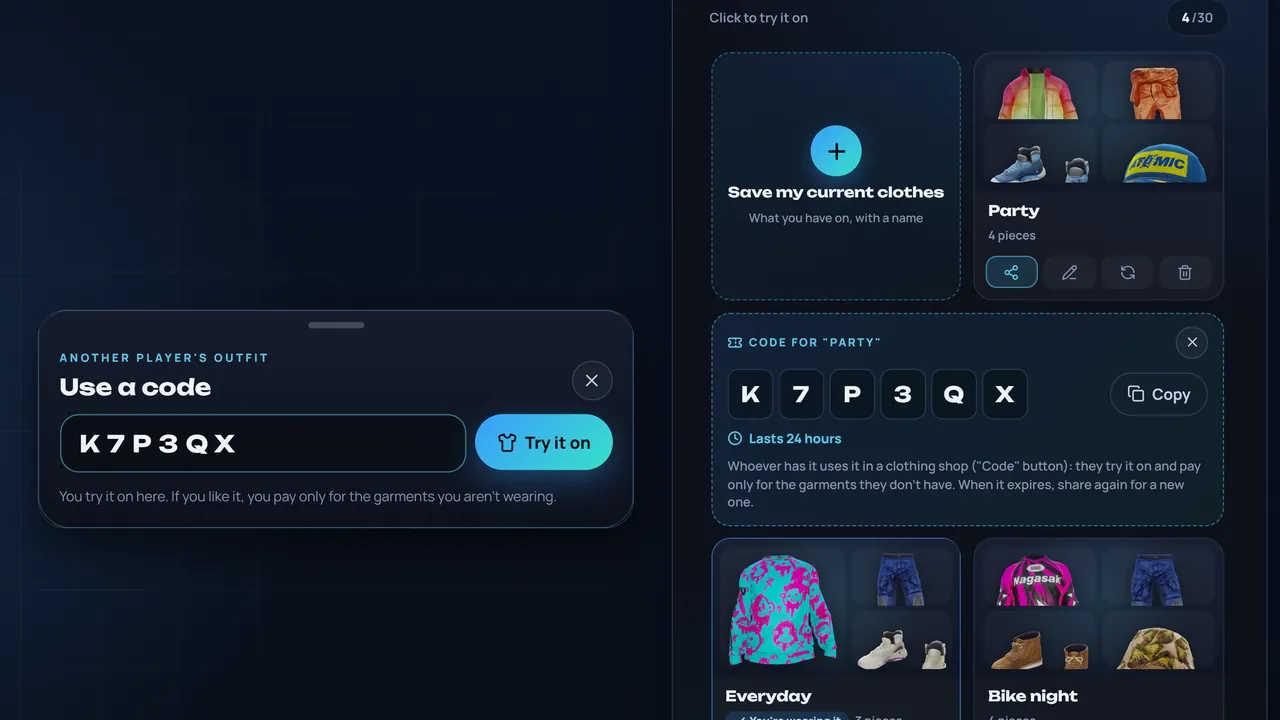
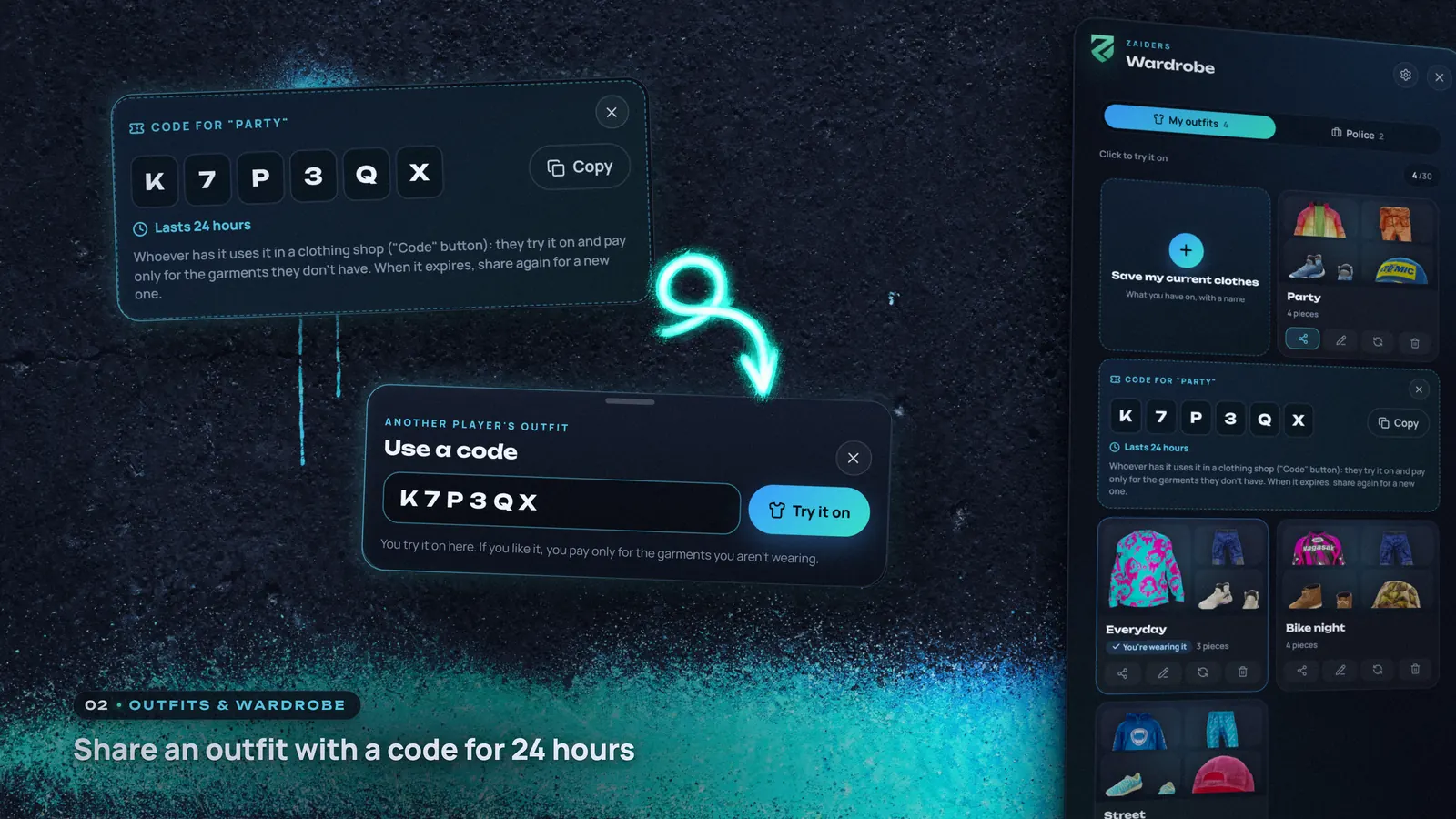
WardrobeOutfits, uniforms and share codesSaved outfits are cards to try on, wear, rename or update. Bosses set job uniforms by grade, with gang uniforms on QBCore and Qbox.
|  |
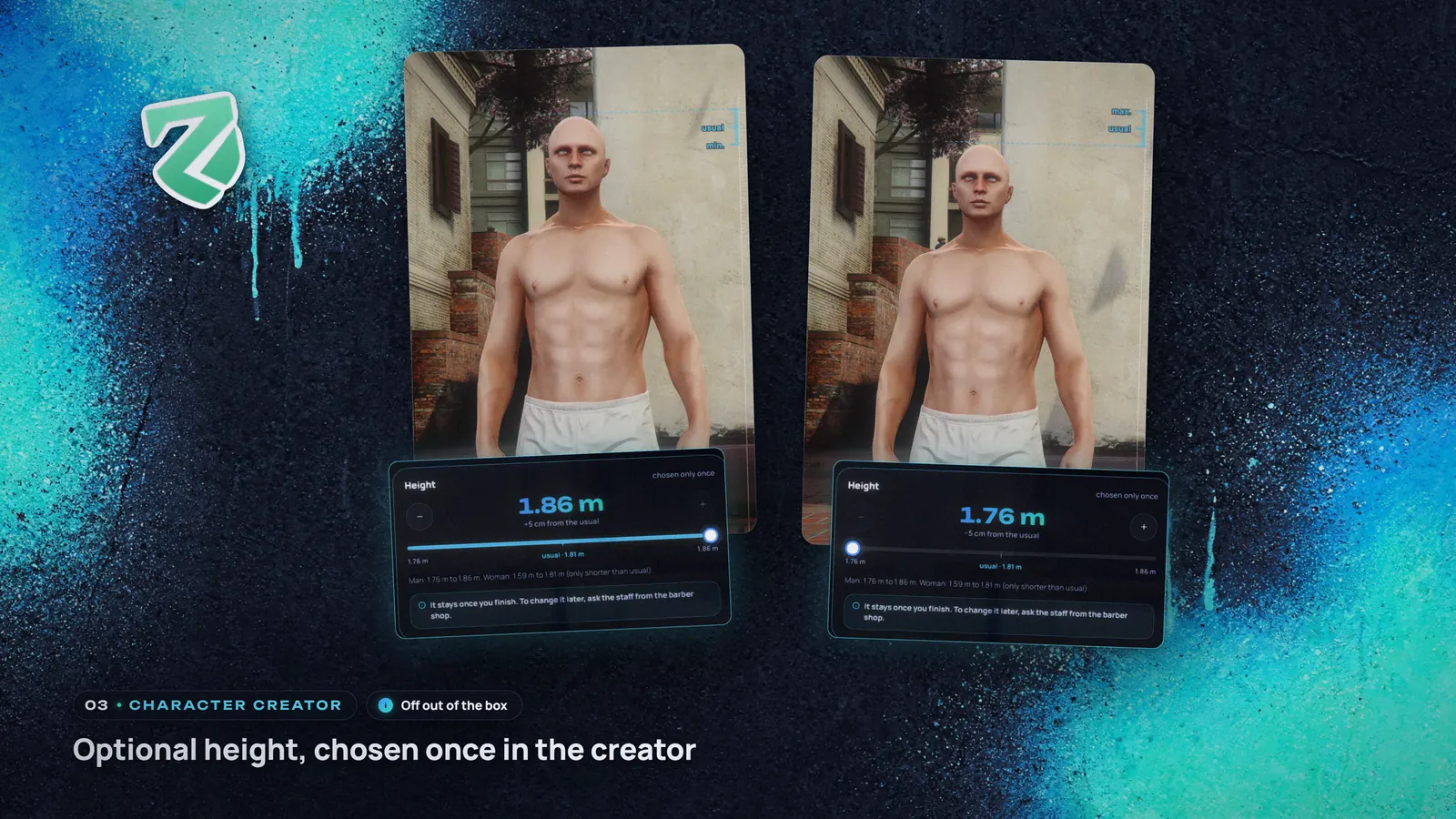
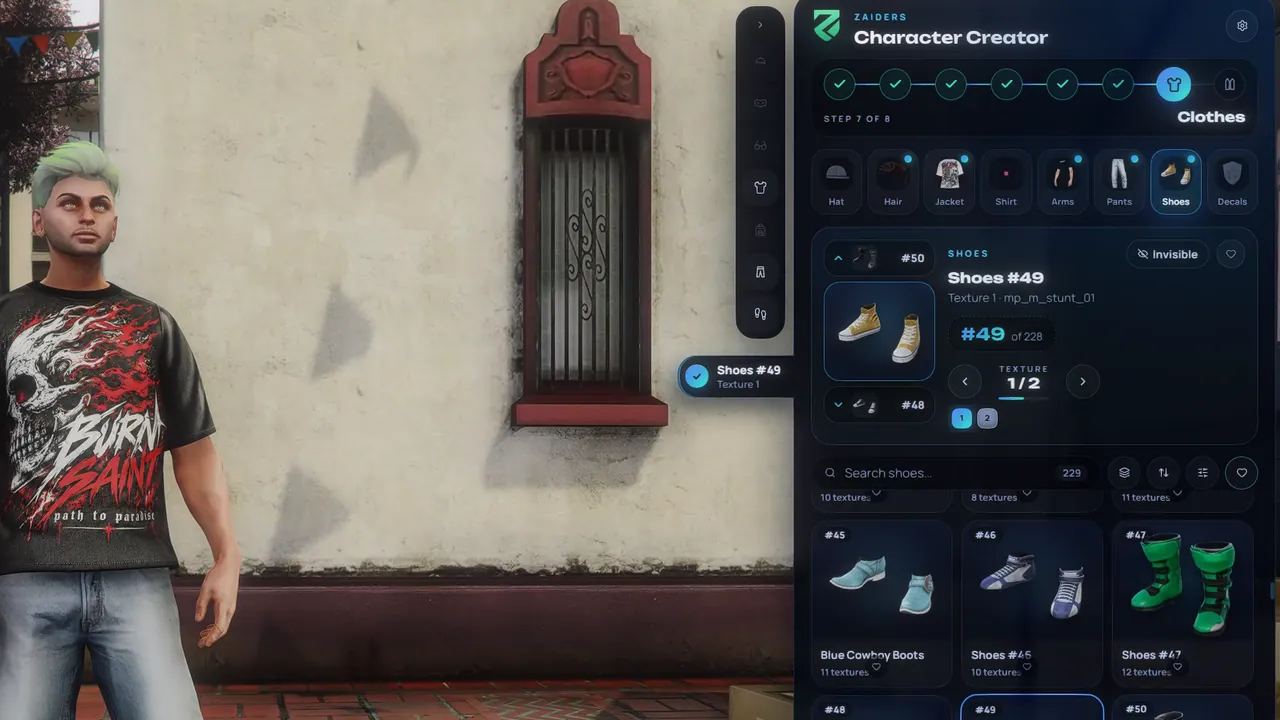 | Character creatorNew characters in 8 stepsFrom heritage and face shape to hair, makeup, clothes and accessories. Heritage blends three faces on a drag triangle, a random face gives a quick start, and a final check runs before saving.
|
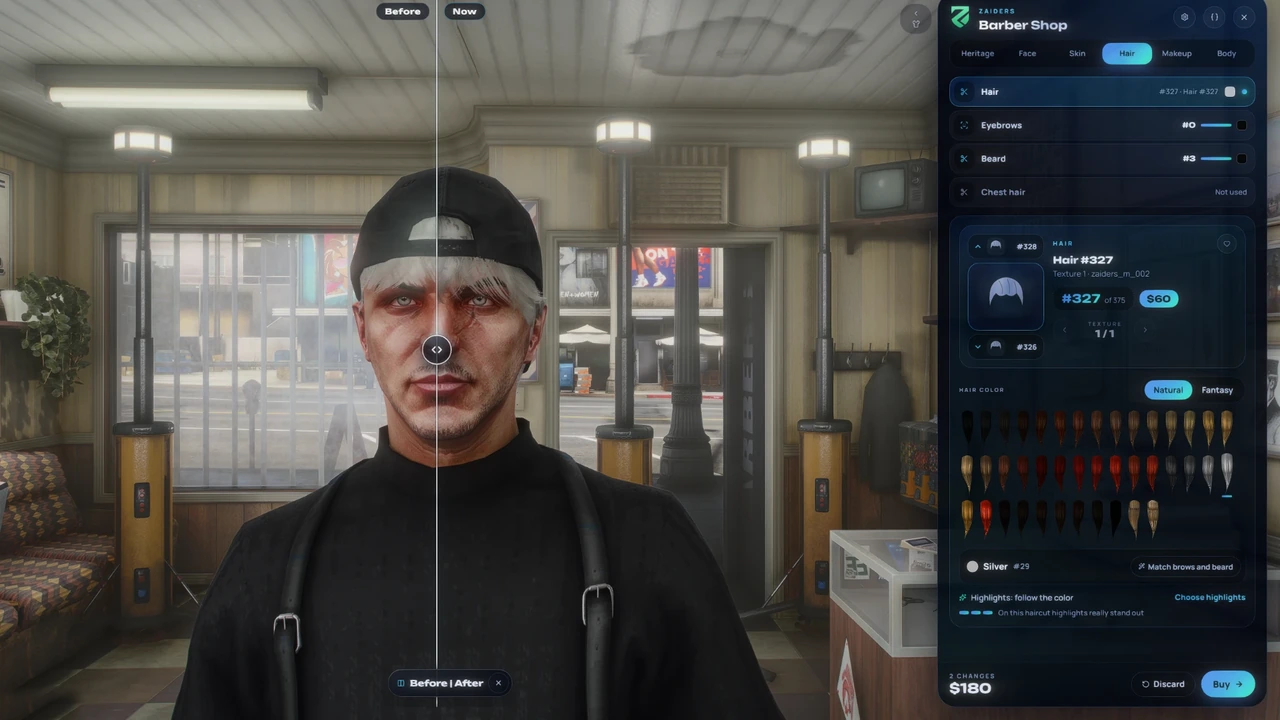
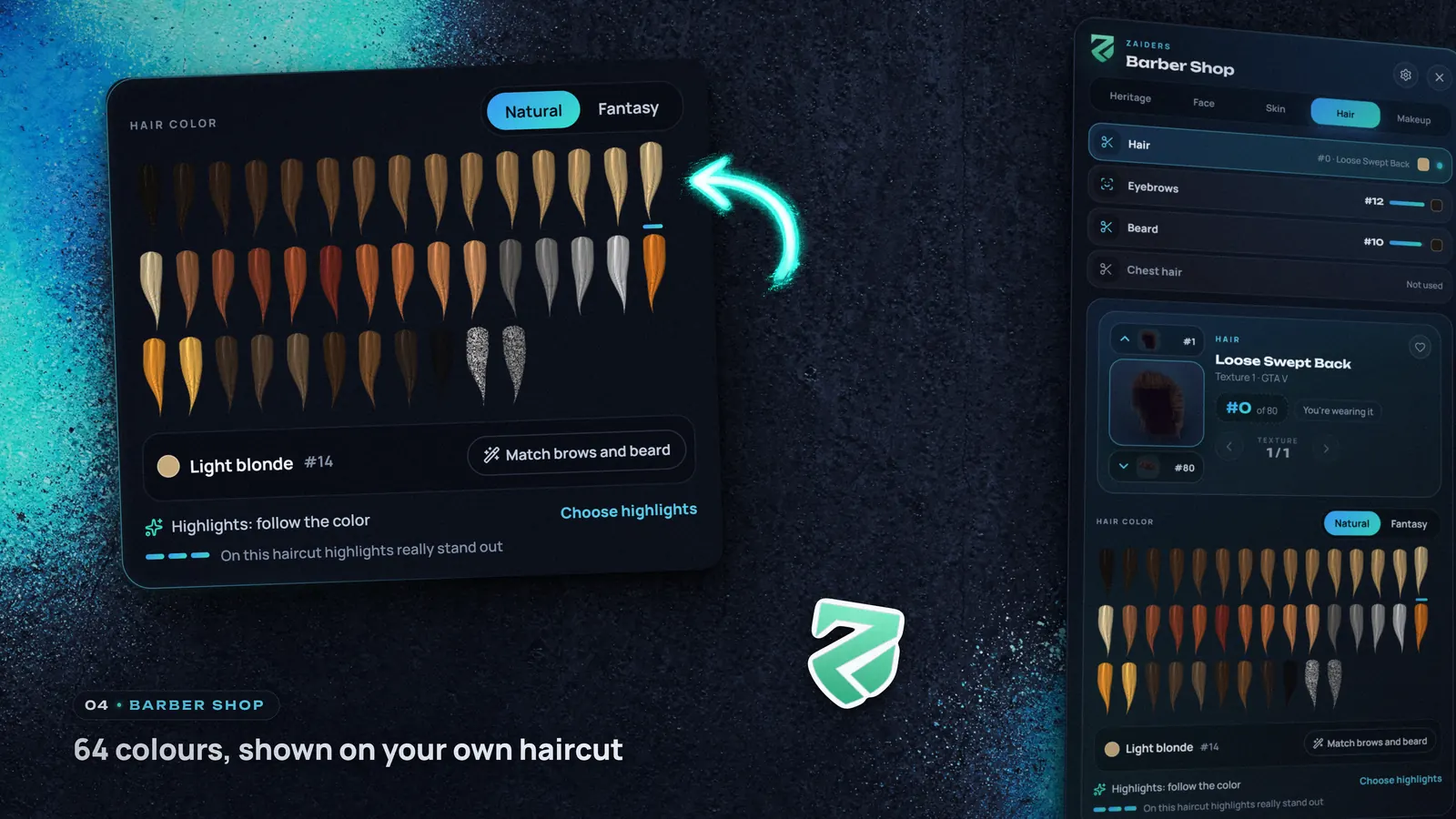
Barber shopHair color on your own haircutThe color card shows all 64 colors as locks of the player's own haircut (game hairs and readable pack hairs), with Natural and Fantasy tabs and highlights. A Before and After curtain and 50 steps of undo make every change easy to compare.
|  |
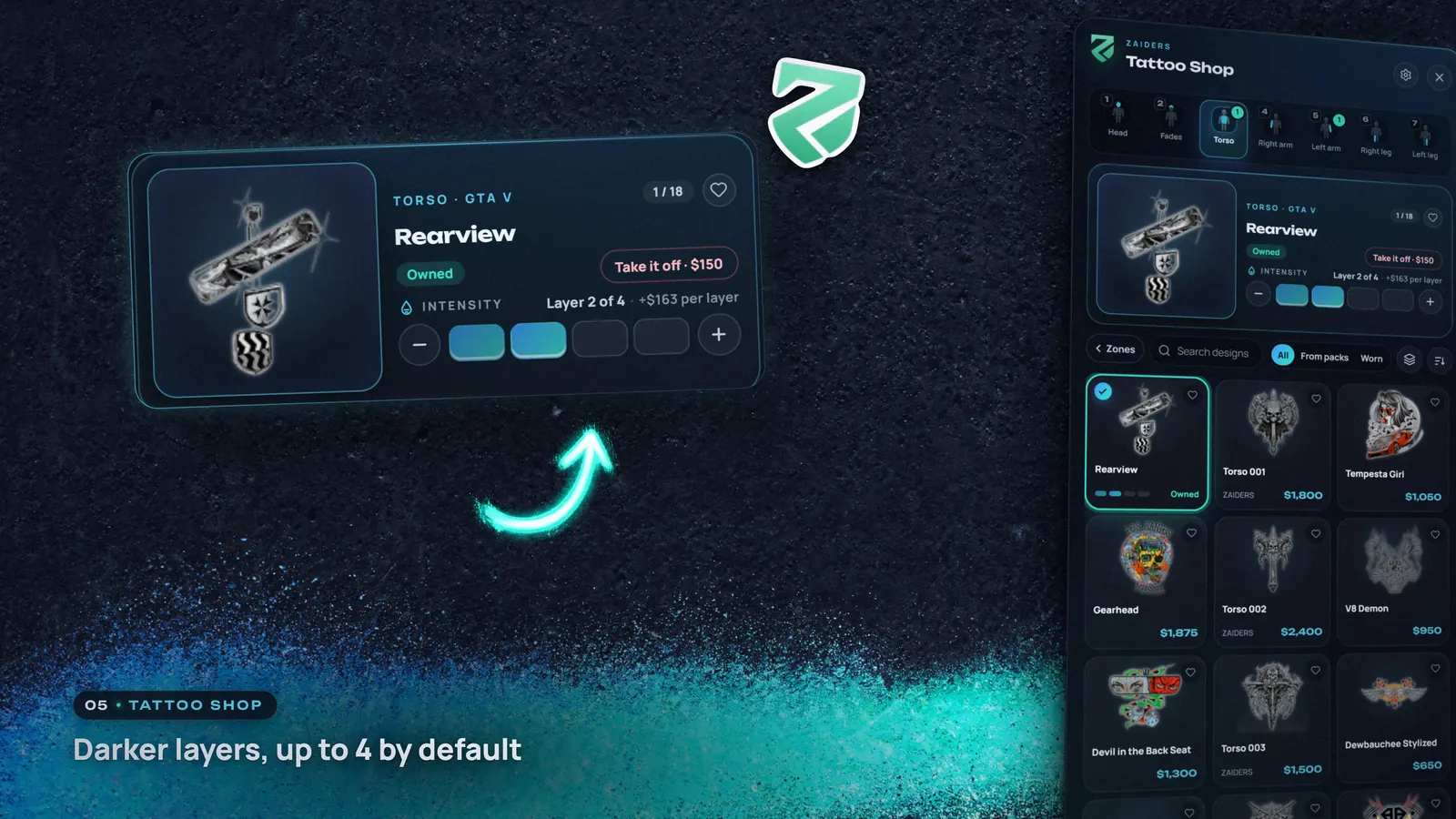
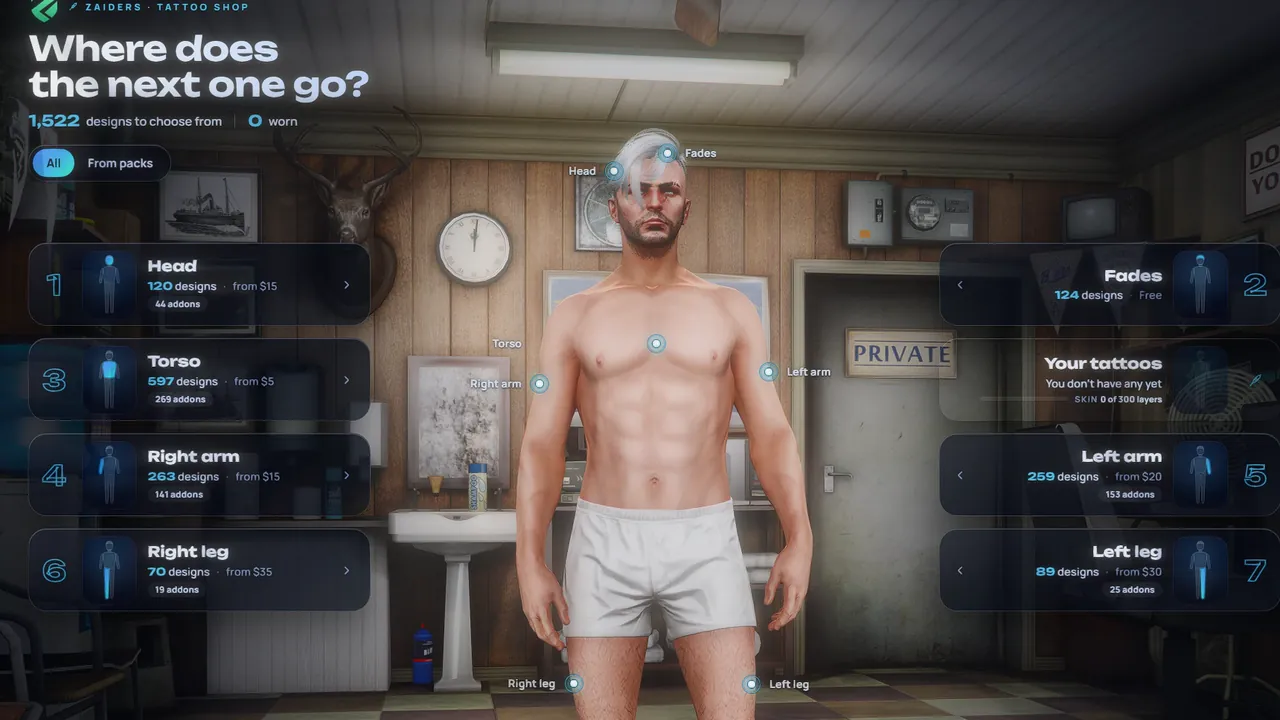 | Tattoo shopSeven zones, seen by everyoneThe whole body in 7 numbered zones, with search, collections, favorites and a large HD preview. Darker layers go up to 4 by default, at 25% of the price each.
|
For staff
Run it all from the game
ZAIDERS Studio, the admin panel inside the game, runs the photos, the shops, the peds and the look of the menu.
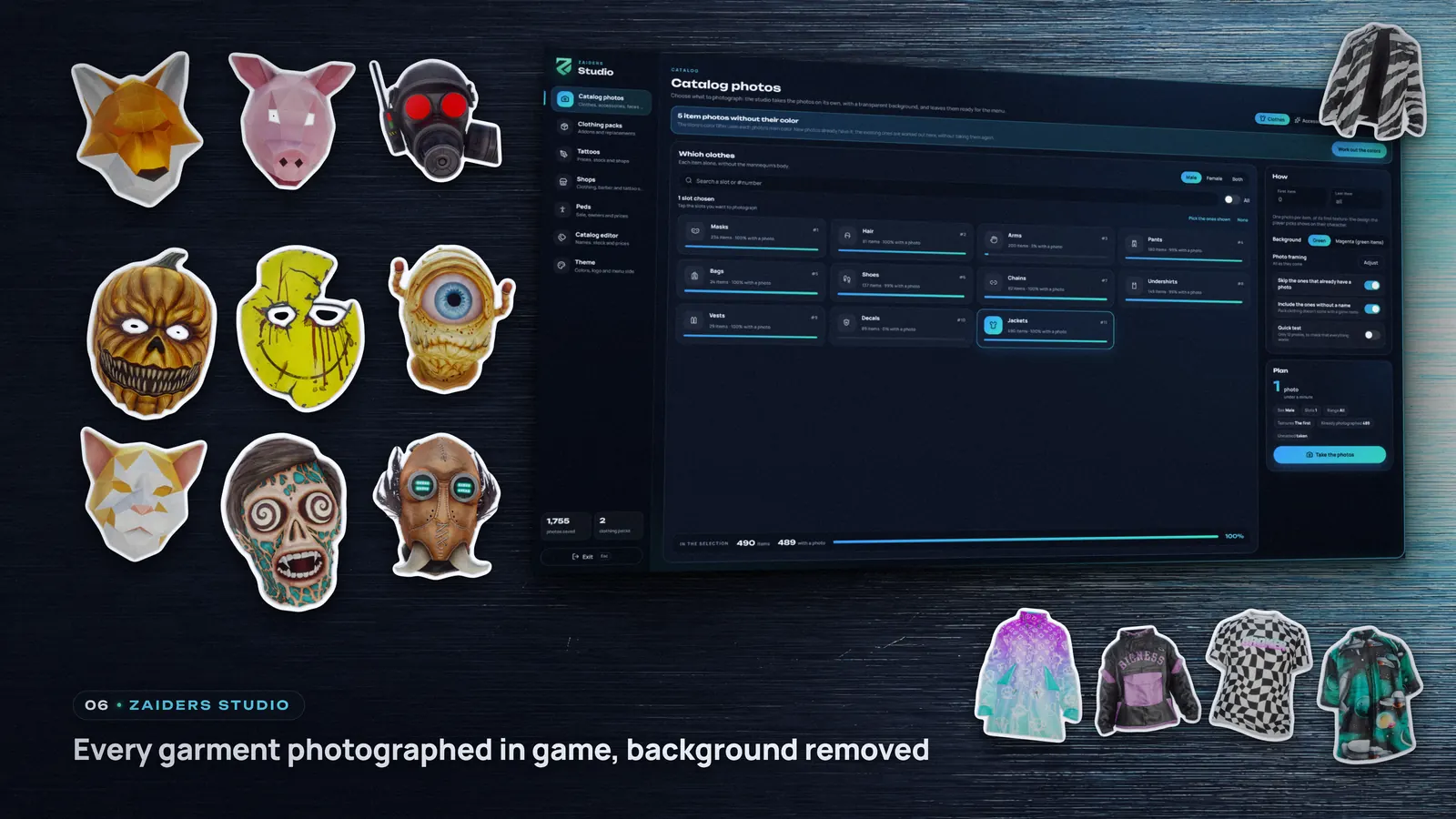
Catalog photosPhotograph your own catalogThe photo studio shoots every garment, accessory, face and ped inside the game and removes the background: one to two seconds per photo, in batches that resume.
|  |
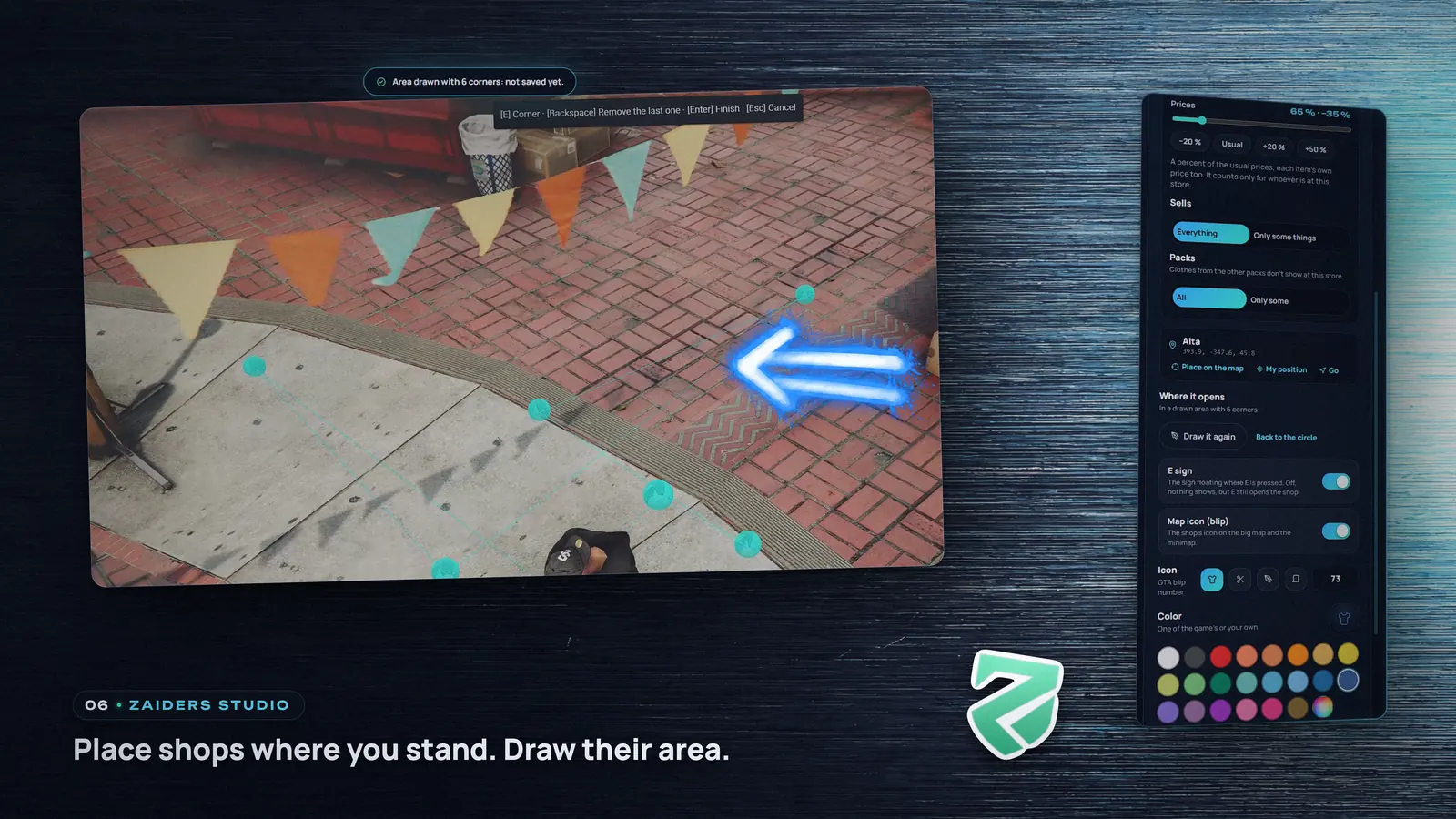
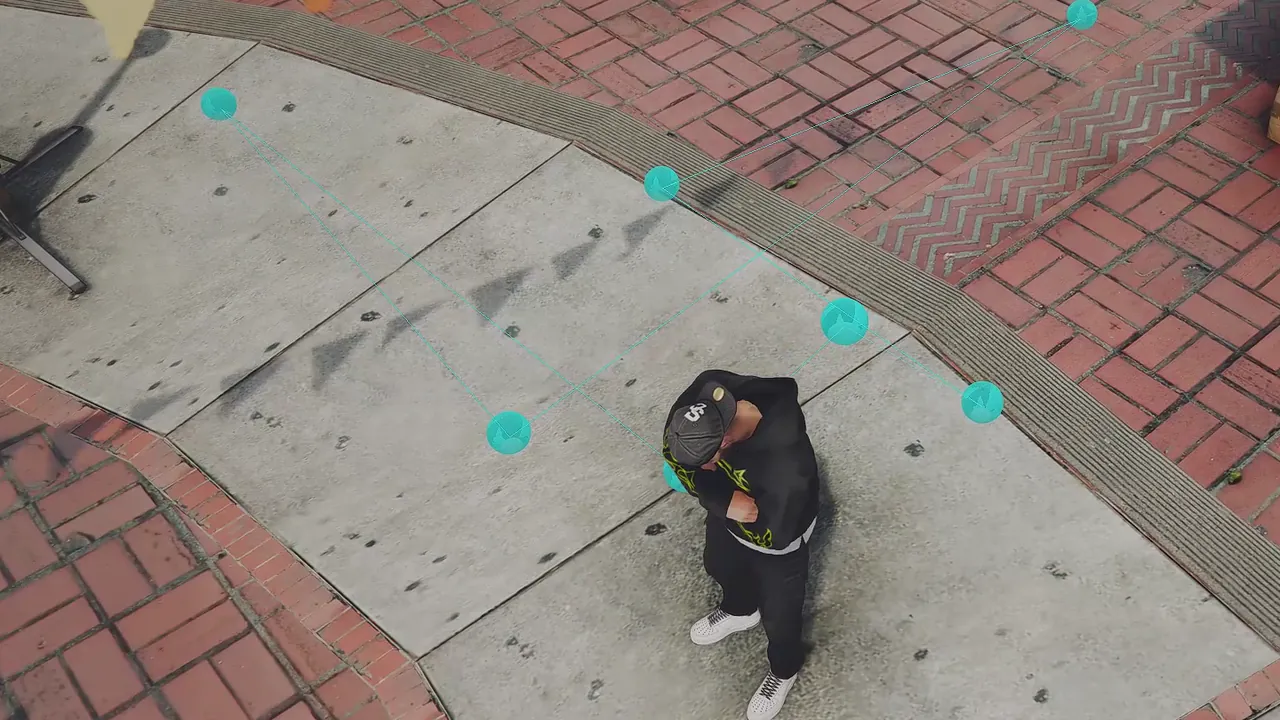 | Map shopsPlace shops where you standThe game's 27 clothing, barber and tattoo shops work out of the box. Add your own where you stand or where you look; each opens in a 1–8 m radius or a drawn area.
|
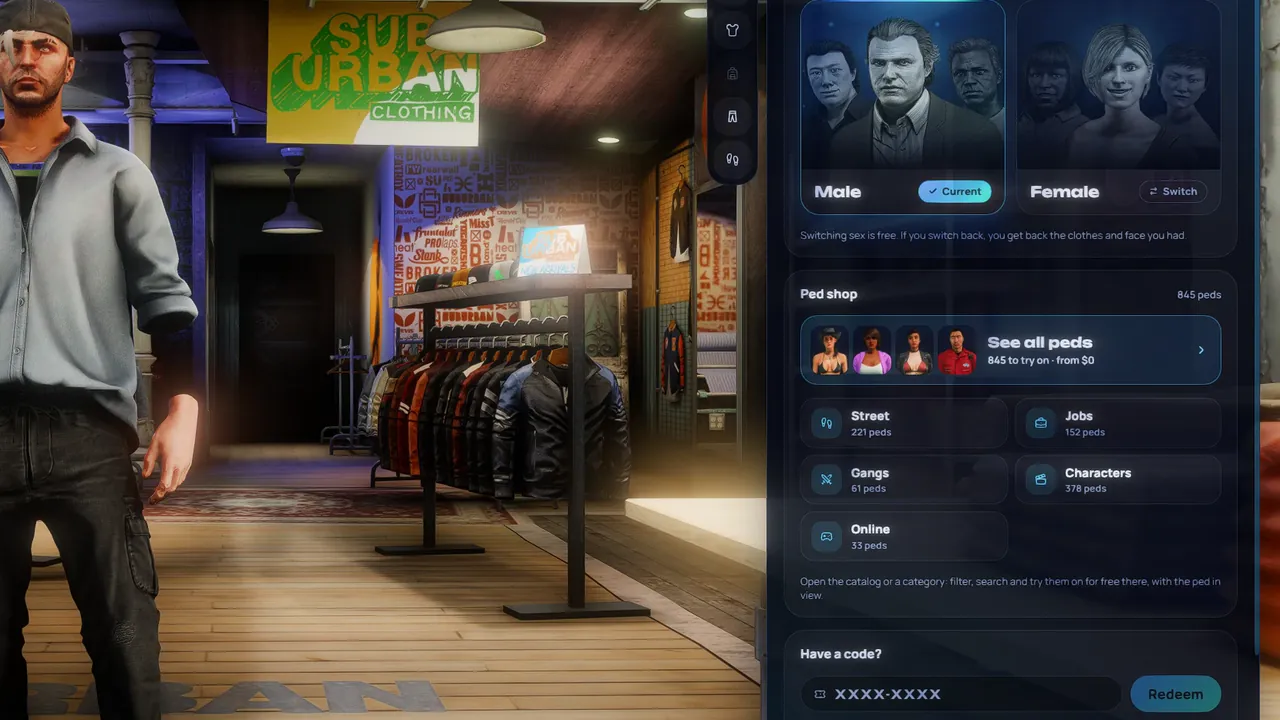
PedsA ped shop with codesPlayers switch between male and female for free, or buy a ped from a shop sorted by category, with pictures, search and filters.
|  |
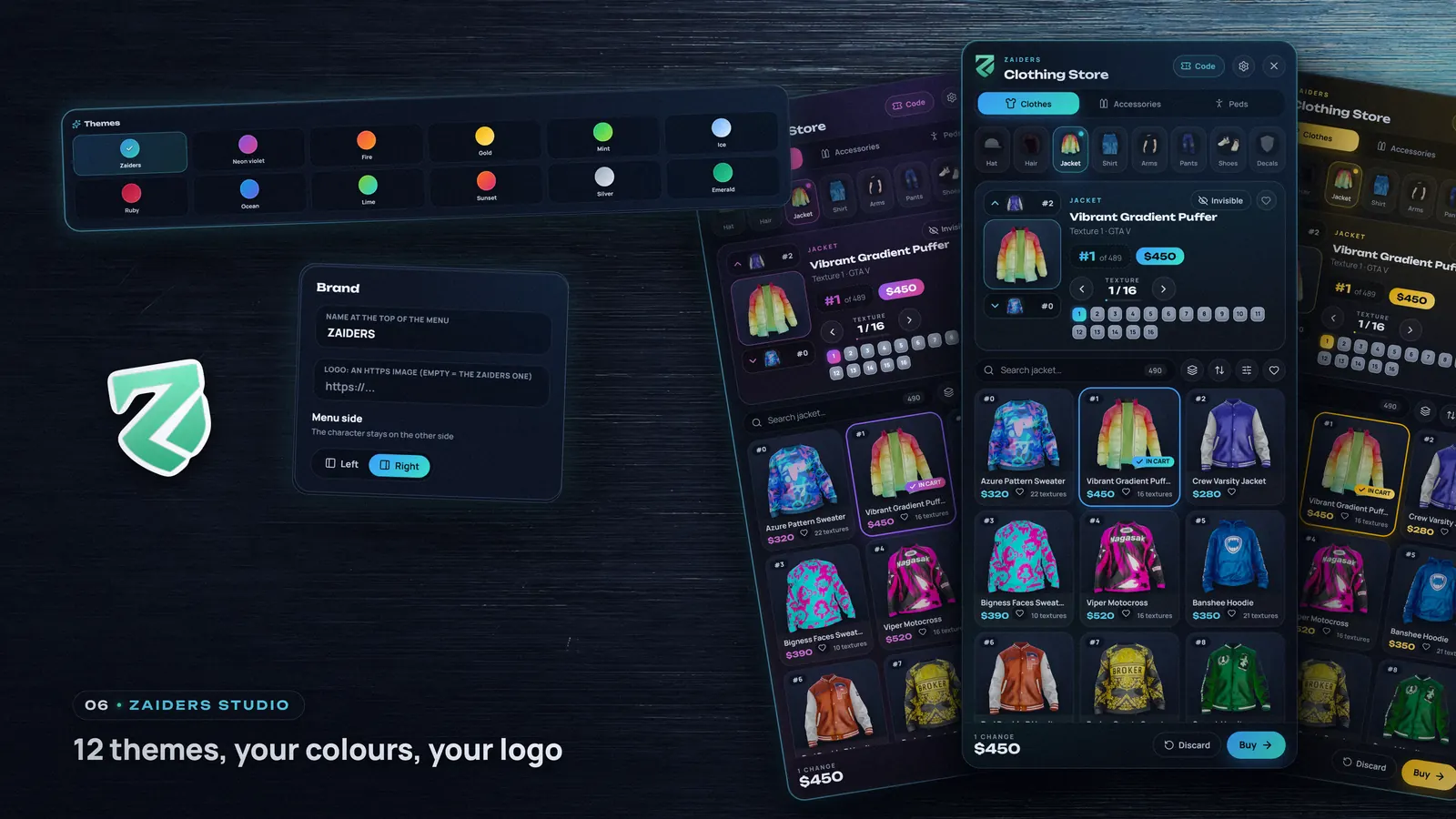
 | ZAIDERS StudioYour brand on the menu12 ready-made themes or your own two colors, your brand name and logo, and the menu on the left or the right. Preview it live, then save it for everyone.
|
What's included
One purchase, three Cfx.re assets
| Yes | ZAIDERS Appearance: menu, shops and the ZAIDERS Studio panel |
| Yes | ZAIDERS Appearance - Photos: holds your catalog photos |
| Yes | ZAIDERS Appearance - Studio: invisible head for photos |
| Yes | Install folder: SQL, guides, release notes |
Technical details
Requirements
| Version | 2.2.0 |
| Game | FiveM, GTA V Legacy build |
| Framework | QBCore, Qbox or ESX, detected automatically (required: not standalone) |
| Requires | OneSync, ox_lib, oxmysql |
| Database | MySQL 5.7+ or MariaDB 10.2+; tables are created if missing |
| Linux | Server artifact 37474 or newer |
| Languages | English, Spanish, Portuguese (BR), French, German, Italian, Polish, Turkish and Dutch, one per server (the game's garment names in English and Spanish) |
| Protected | Every Lua script except shared/config.lua, by Cfx.re Asset Escrow; the menu and helper .js files ship minified |
| Editable | shared/config.lua (commented in English and Spanish), the language files, the SQL and the guides |
This is a FiveM multiplayer mod source file and will only work on an official FiveM multiplayer mod server. It runs on the GTA V Legacy build: Cfx.re Asset Escrow is not available yet on FiveM for GTA V Enhanced.
FAQ
Questions before you buy
| 01 | Are clothing photos included?No, on purpose: the photos are of your server's own clothing. The photo studio in ZAIDERS Studio takes them inside the game, one to two seconds each. |
| 02 | Will my players have to make their characters again?No. It reads the looks saved by the most common clothing menus, in the same tables: |
| 03 | Does it work with addon clothing, faces and tattoos?Yes. The panel finds addon clothing packs, face packs show with no setup (one config setting sorts their men's and women's faces), and addon tattoo packs are detected automatically. |
| 04 | Is it the same on QBCore, Qbox and ESX?Almost. ESX has no gangs, so gang uniforms are for QBCore and Qbox, and on ESX peds are not sold while skinchanger is running. With esx_multicharacter, new characters are made in esx_skin's creator. On Qbox, only peds the server knows by name are saved. A framework is required: without one, nothing is charged or saved. |
| 05 | Does it run on GTA V Enhanced?Not yet. Cfx.re Asset Escrow is not available on FiveM for GTA V Enhanced, so it runs on the GTA V Legacy build. It also needs OneSync, ox_lib and oxmysql. |
| 06 | What can I edit?
|
| 07 | How do I get updates?New versions are published on the Cfx.re Portal: download all three again from Granted Assets with the same account and copy each folder with its hidden files. Back up your |
Package Type
Cfx.re Asset Escrow. The script is granted to the buyer's Cfx.re account after payment — not as an open-source download.
- Delivered to the Cfx.re account used at checkout
- ESX · QBCore · Qbox
- Requires OneSync, ox_lib and oxmysql
- FiveM on the GTA V Legacy build
- Instant delivery after payment
How you receive your files
Three Cfx.re Portal assets, granted together to the Cfx.re account you buy with.
-
ZAIDERS Appearance
The resource. Its Lua code is escrowed except shared/config.lua; the language files stay editable.
-
ZAIDERS Appearance - Photos
Ships empty: the in-game admin panel fills it with the catalog photos you take.
-
ZAIDERS Appearance - Studio
The photo studio's invisible head. zaiders_appearance starts it; it does not go in server.cfg.
Download them from portal.cfx.re → Assets → Granted Assets. Your server key must belong to that same account. Copy each folder with its hidden .fxap file and keep the folder names.